 StoryForgerv1.6.4 · Windows 10 and 11 · or in your browser
Finish your novel, and keep every word of it on your own computer.
A writing studio for novels and stories, with a story bible that keeps it all straight.
€24.99 paid once, yours for good, with every update
30-day refundNo subscriptionNo accountWorks offline
No Windows computer? Use StoryForger in your browser, on any Mac, Linux or Windows computer. Your files stay on your computer.
Your draft is the most personal thing you own. StoryForger keeps it on your computer: write chapter by chapter with version history, keep characters, places and the rules of your world in a story bible, plan with sticky notes and chapter summaries, and export a manuscript as Word, PDF, EPUB or Markdown. Several people can share one computer, each with their own profile.
The problem
Three things stall most novels
Losing track of your world
By chapter twenty, it’s hard to remember her eye colour, the year the war ended or what the magic costs. Readers remember.
Losing momentum
A novel is written a few hundred words at a time, and a week away is enough to lose the thread.
A draft on someone else’s server
Online writing tools keep your manuscript on their computers, under their terms, for as long as they stay in business.
How it works
From first idea to finished manuscript
Plan
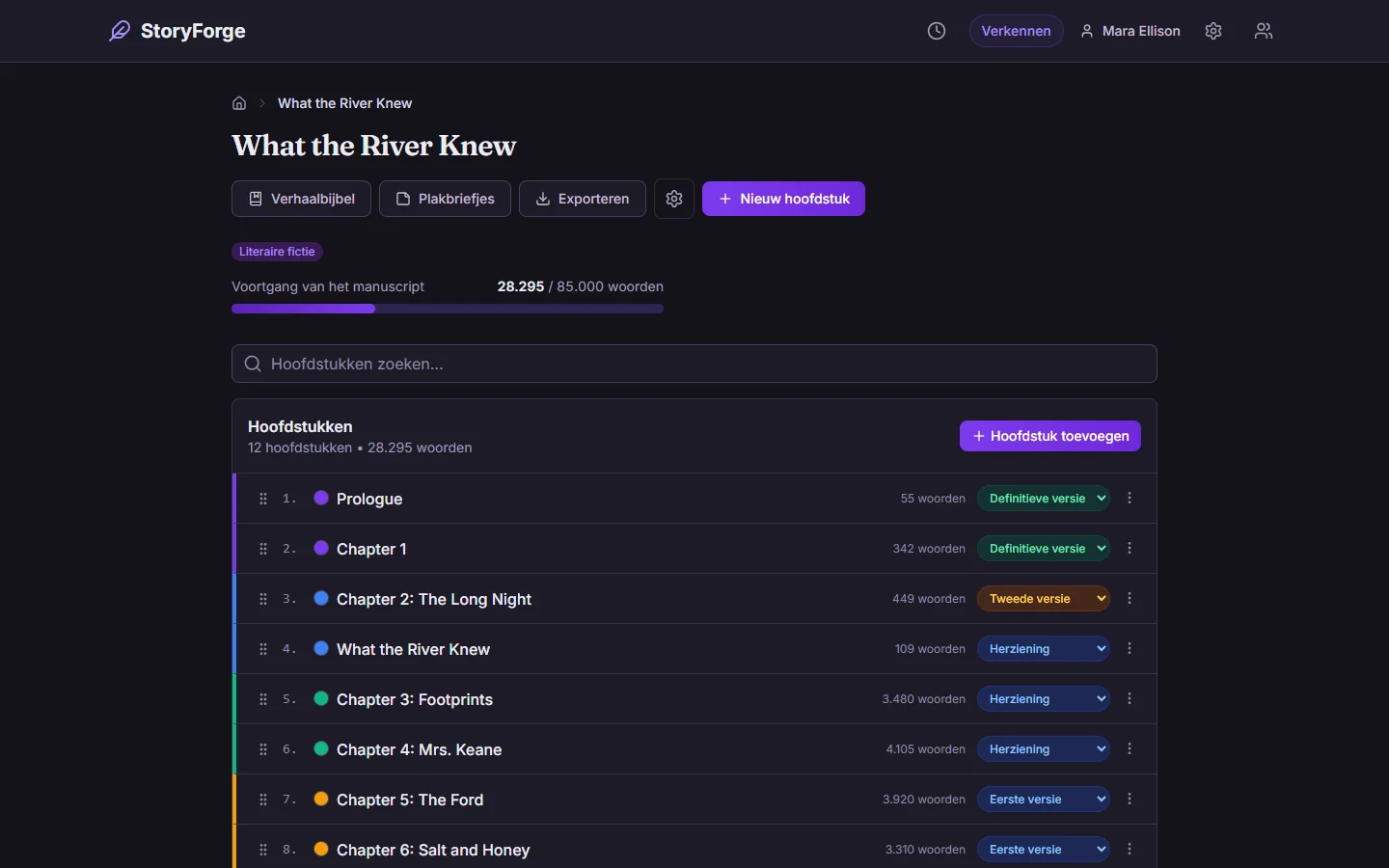
Sketch scenes and reveals on a sticky-note board, and give every chapter a summary, a status and a colour.
Write
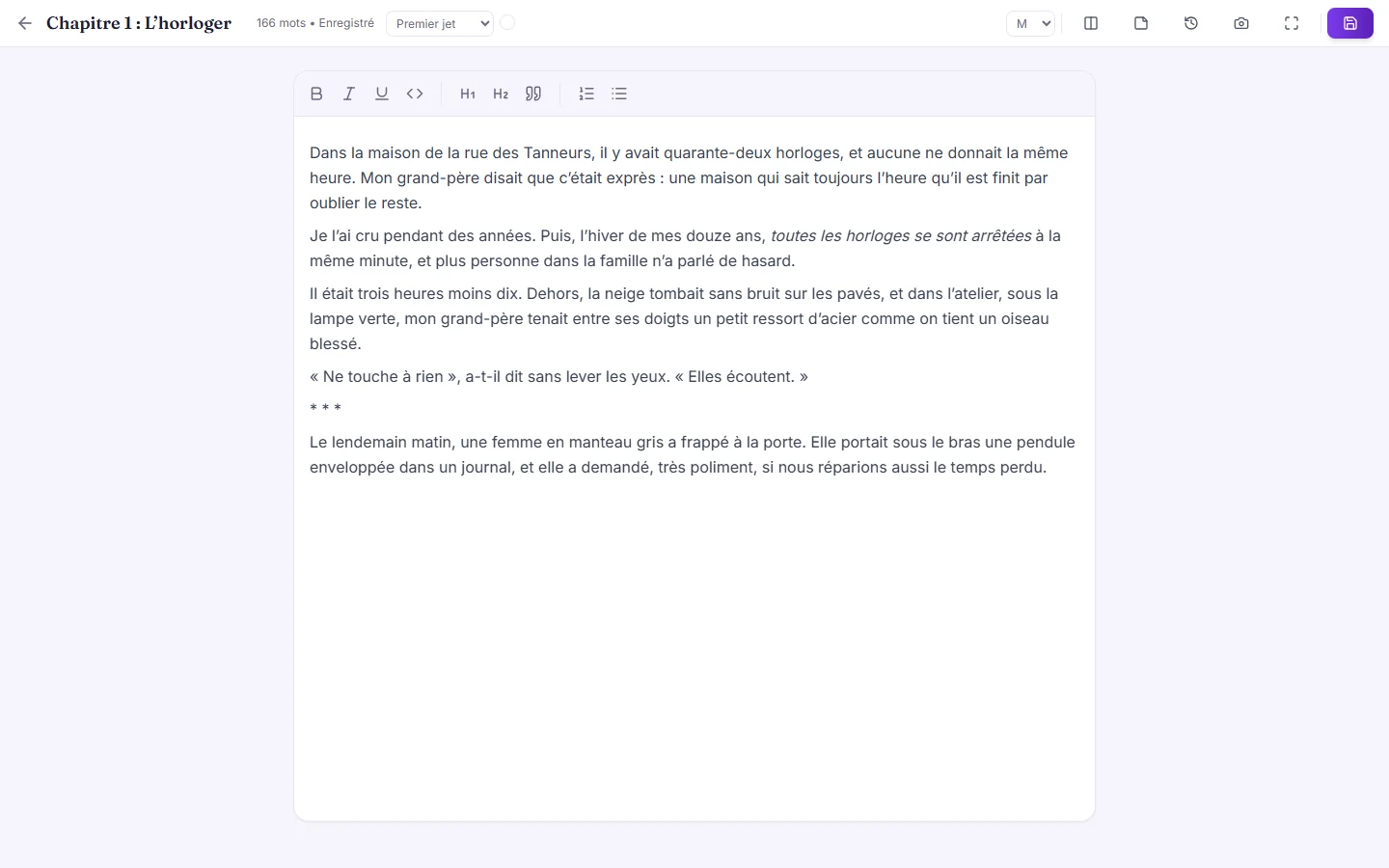
Chapter by chapter, in a quiet editor that saves as you type and keeps every version.
Keep it straight
Characters, places, world rules and the timeline go in the story bible, ready whenever you need to check.
Export
Send it out as a Word document, a typeset PDF, an EPUB or in standard manuscript format.
Write
A page built for writing
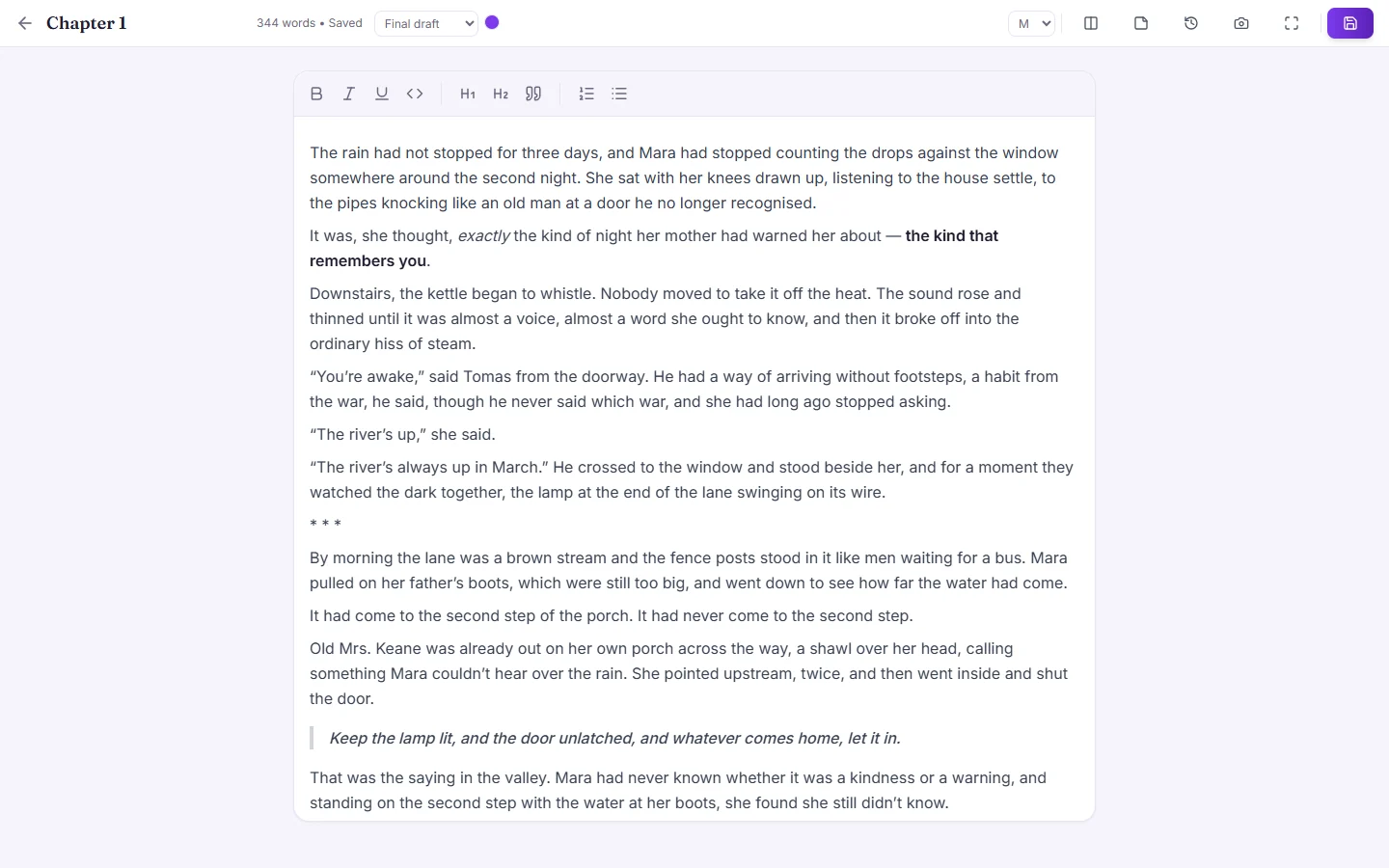
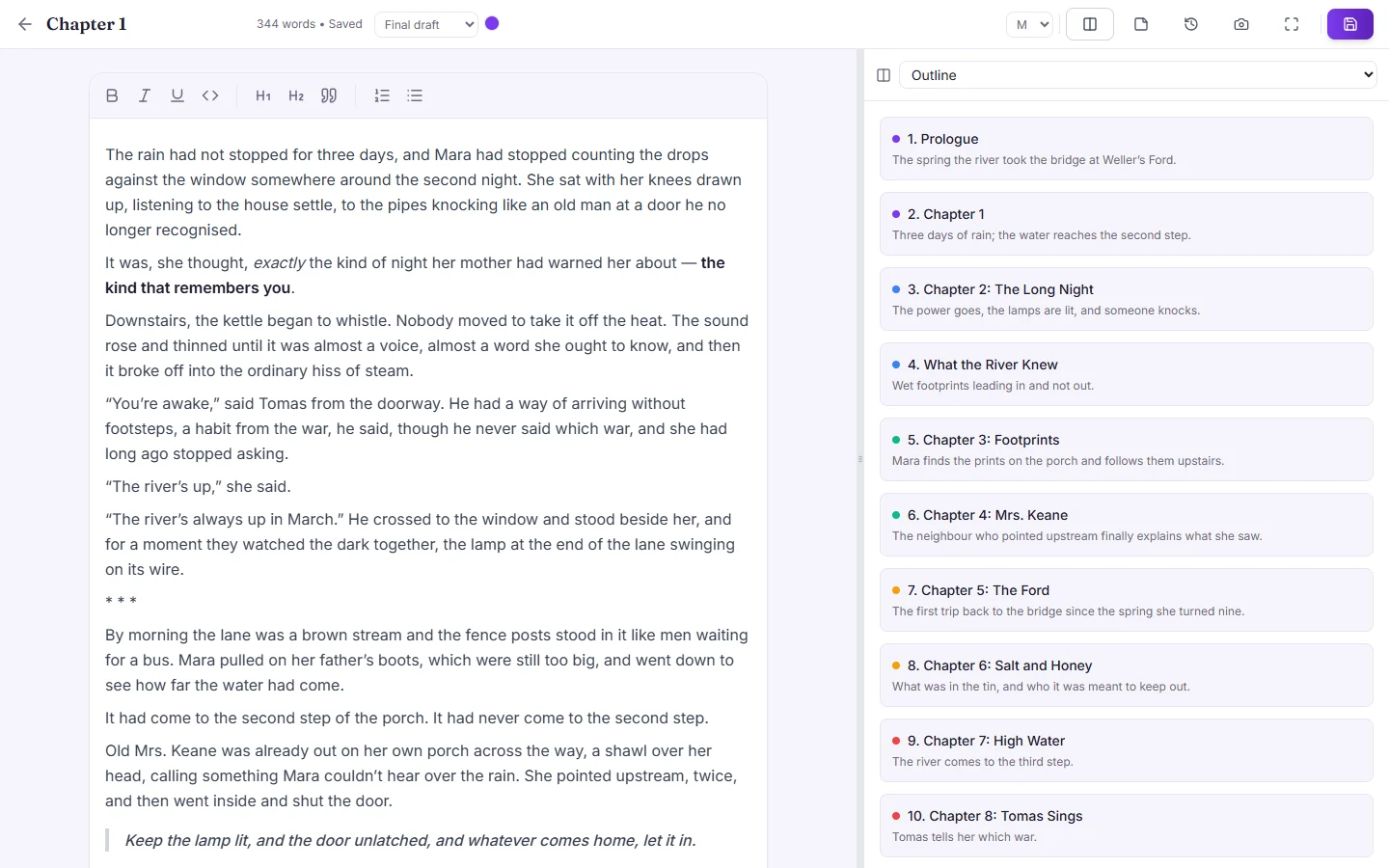
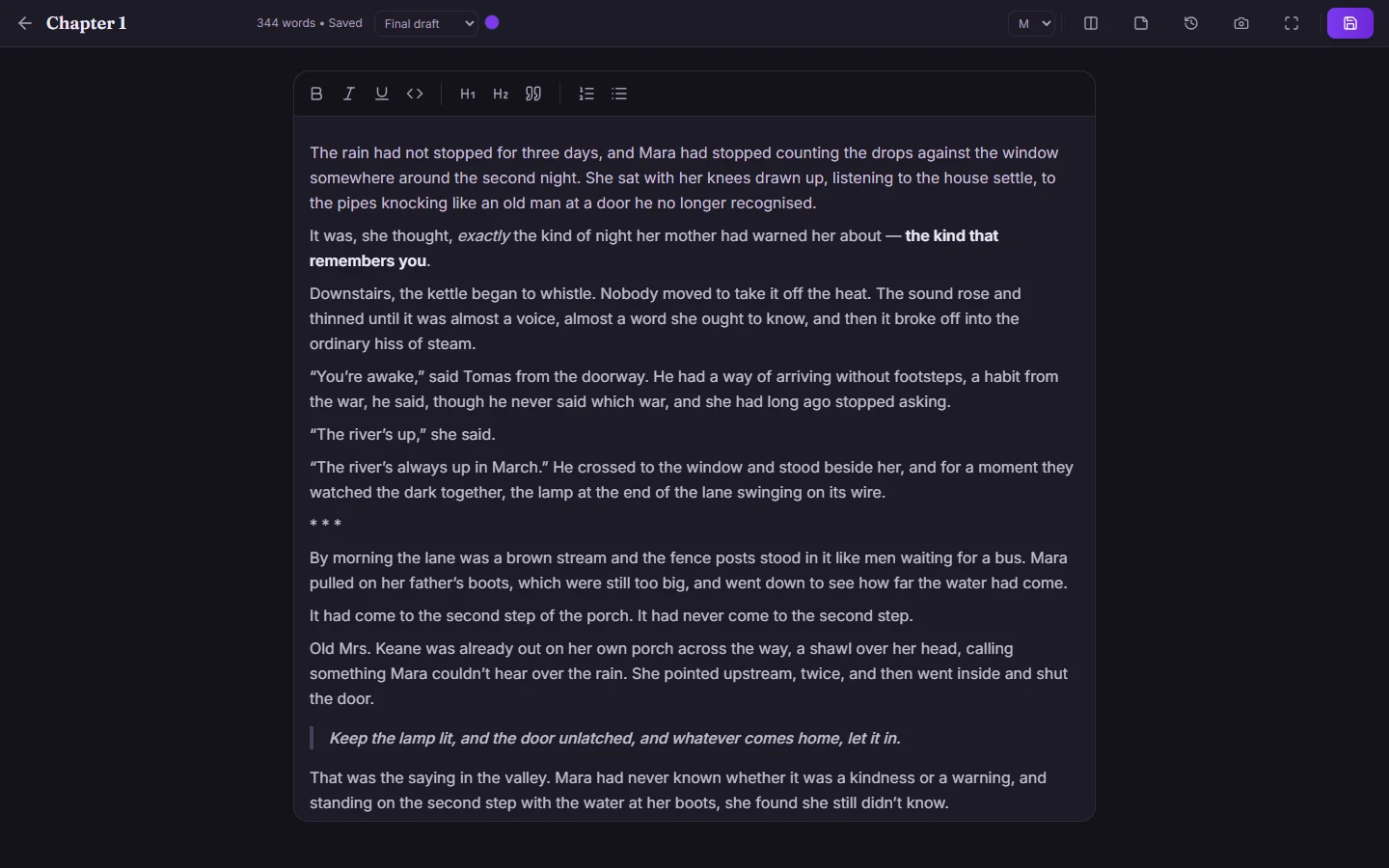
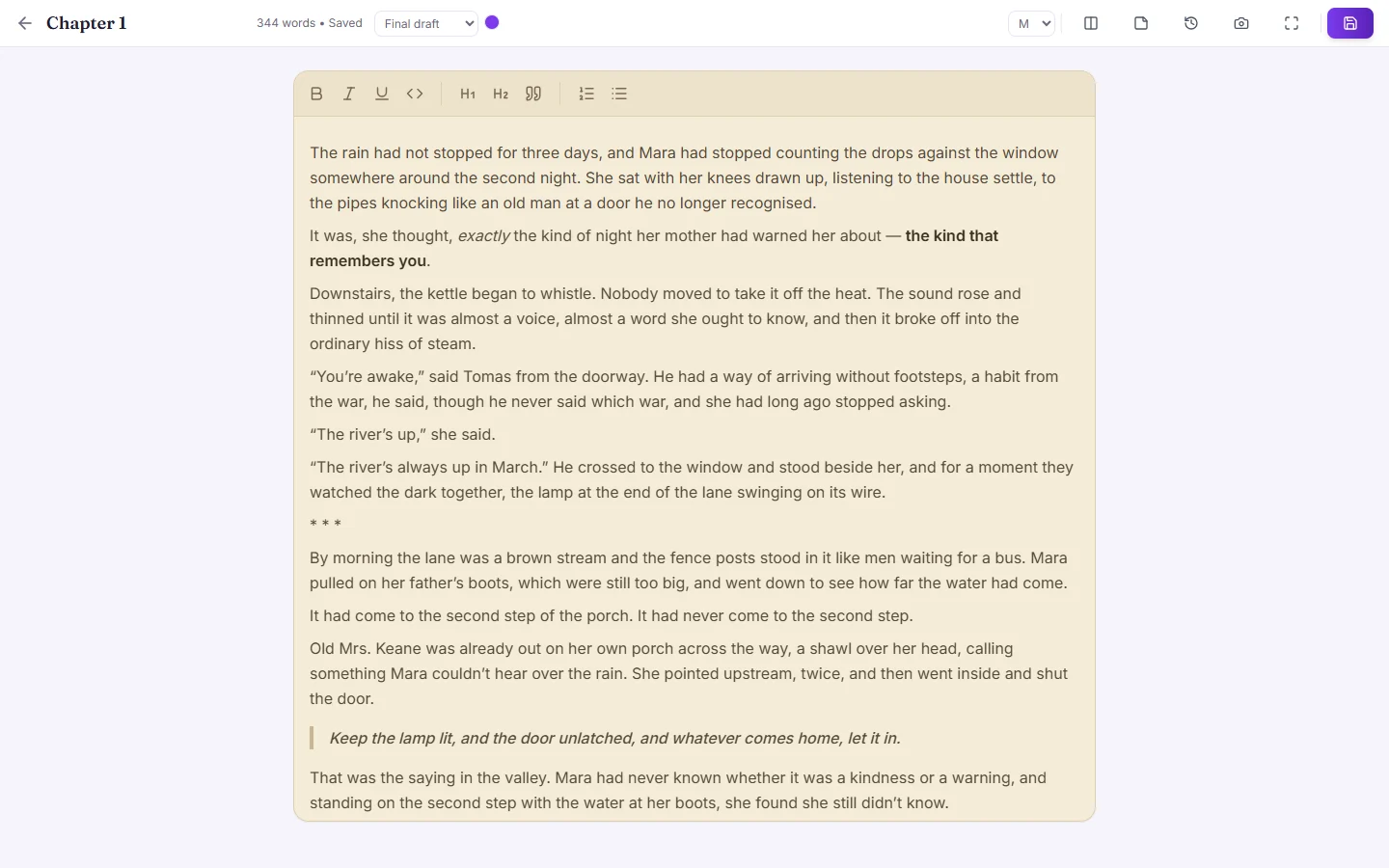
Autosave, version history, focus mode, and a split view with the outline beside your chapter. Spell check in your book’s language that knows your characters’ names. Write on a light, dark or sepia page.
Remember
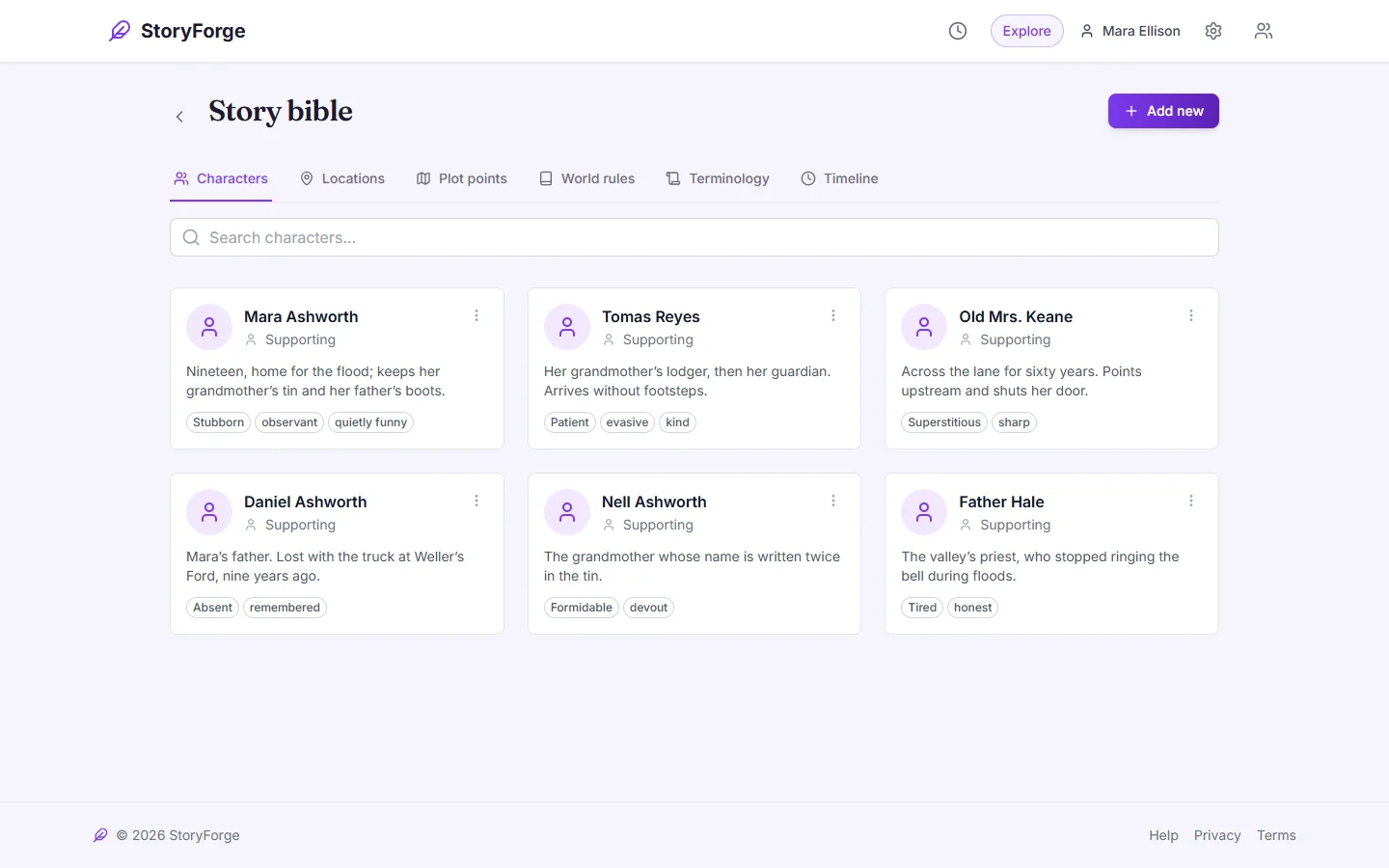
A story bible that remembers for you
Characters, locations, plot points, world rules, terminology and a timeline, kept with the book they belong to.
Plan
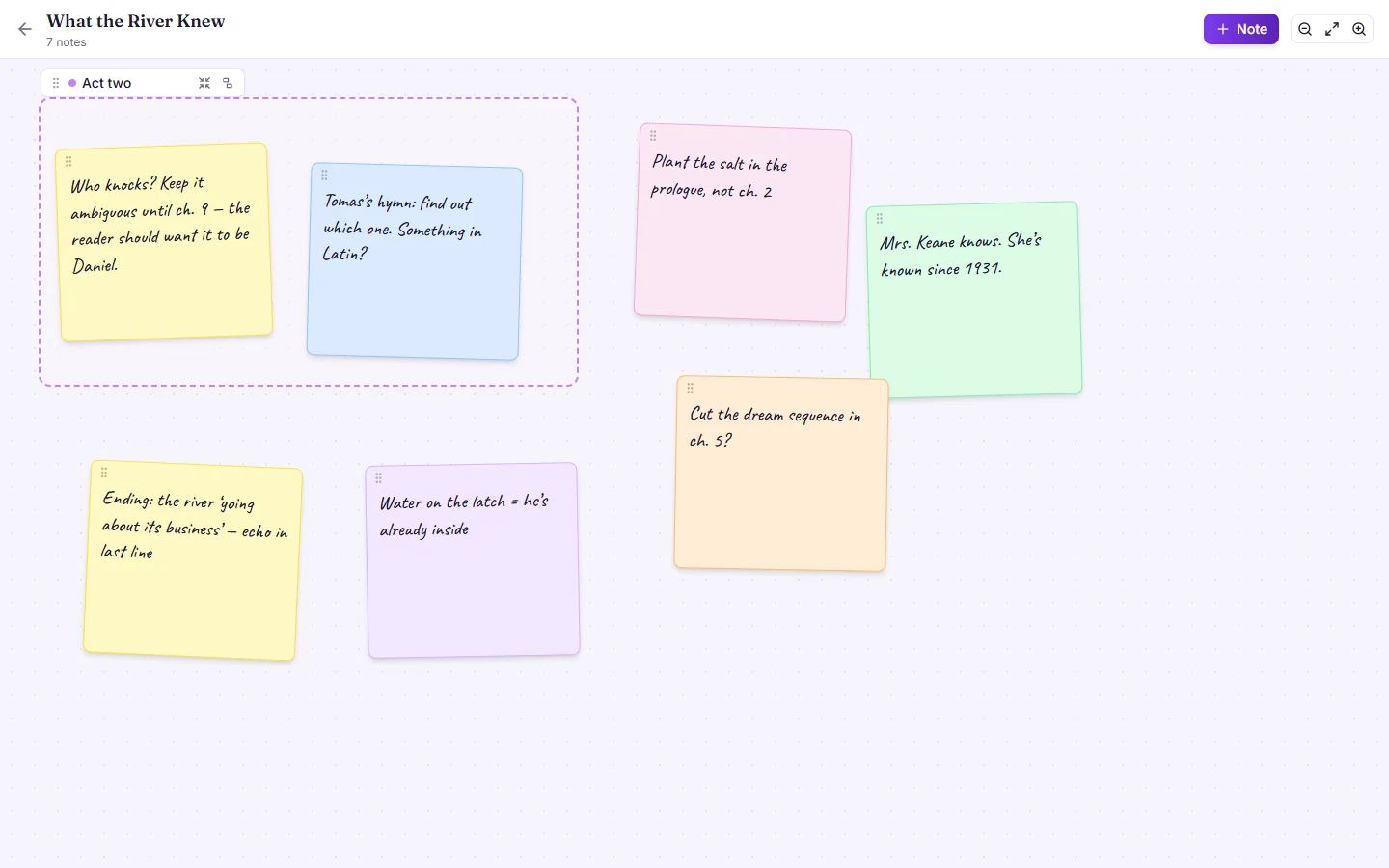
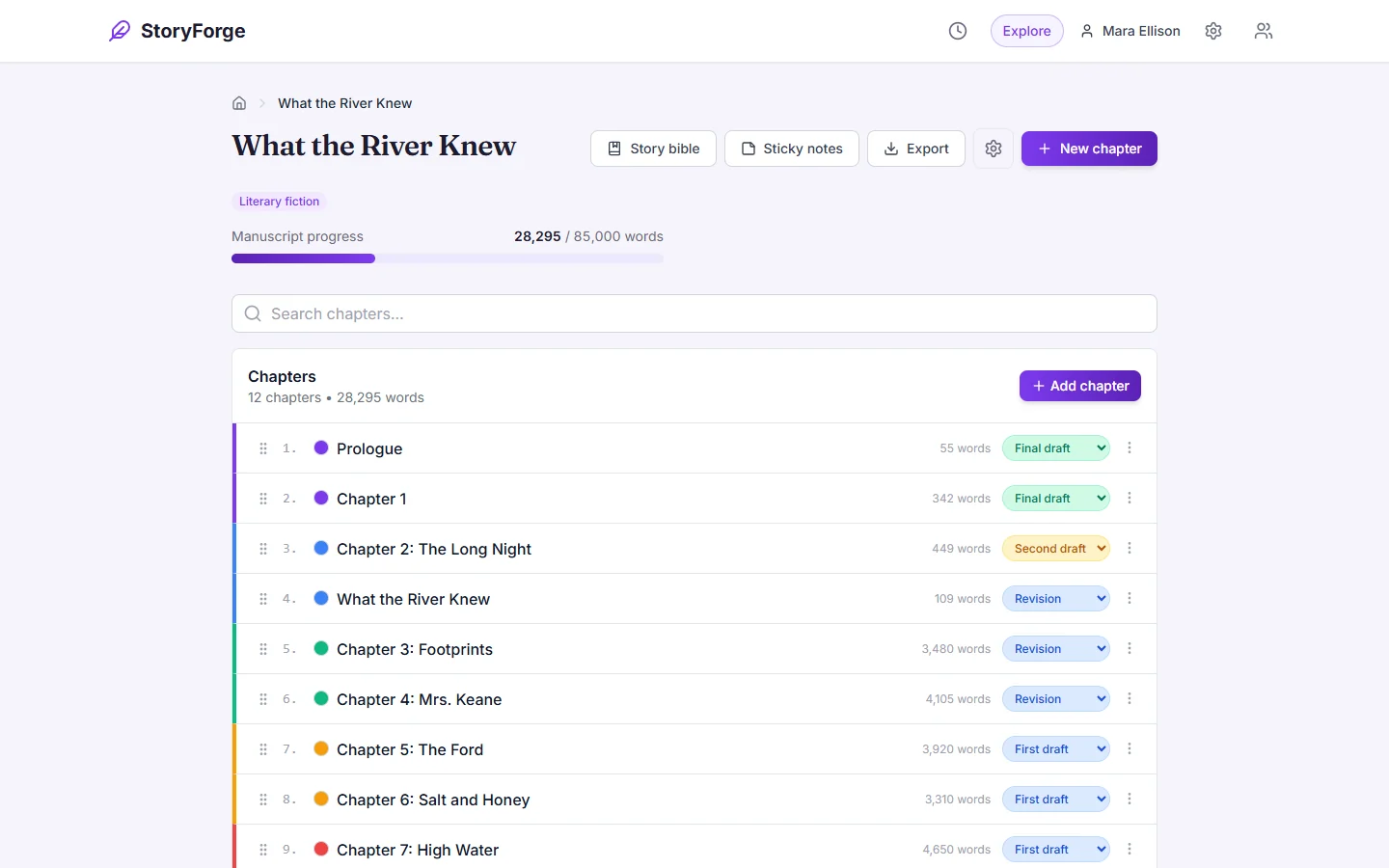
Plan it your way
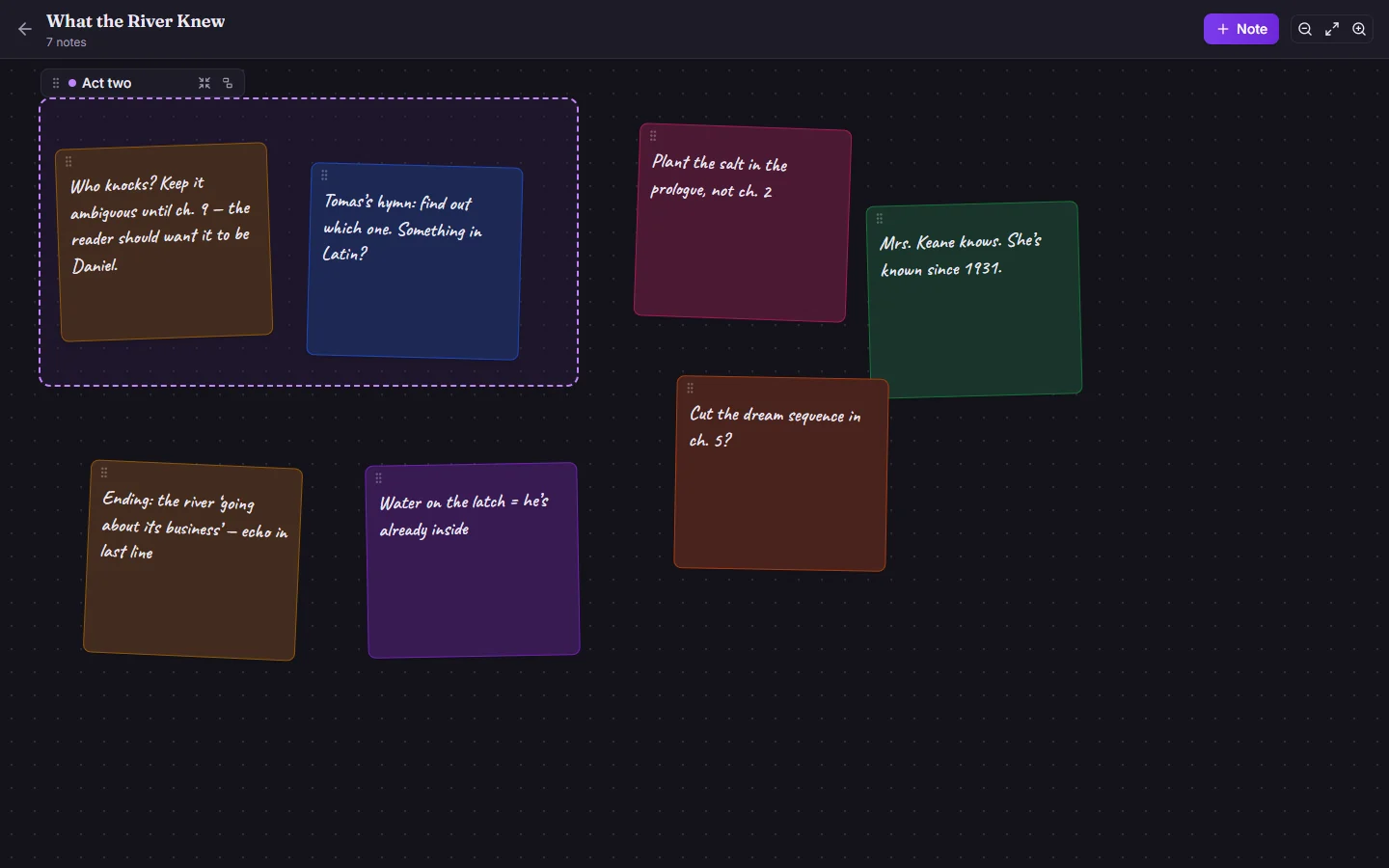
Colour-coded sticky-note boards, chapter summaries, colour labels and statuses, and a chapter list that tracks the manuscript toward its word target.
Keep going
Keep the habit
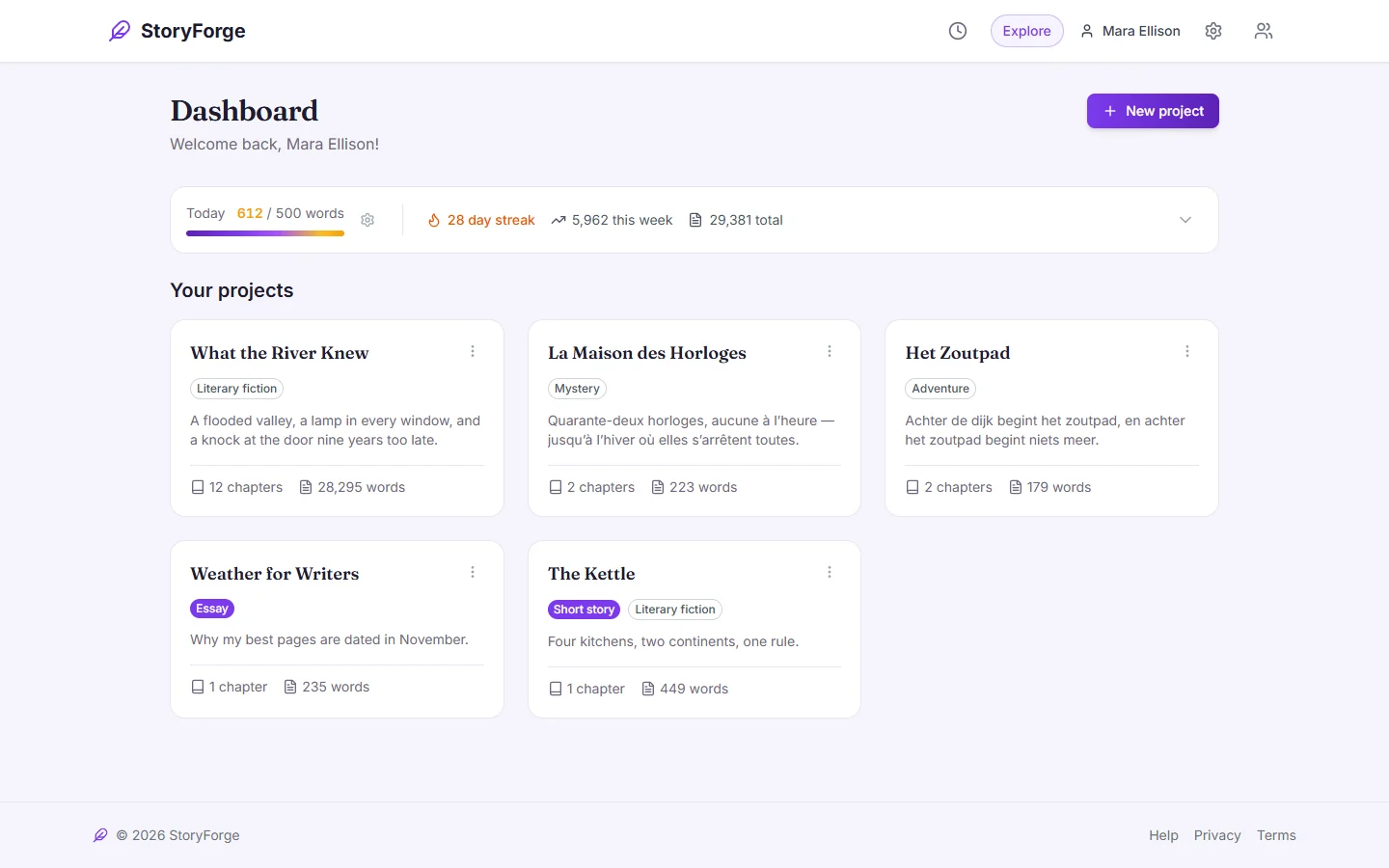
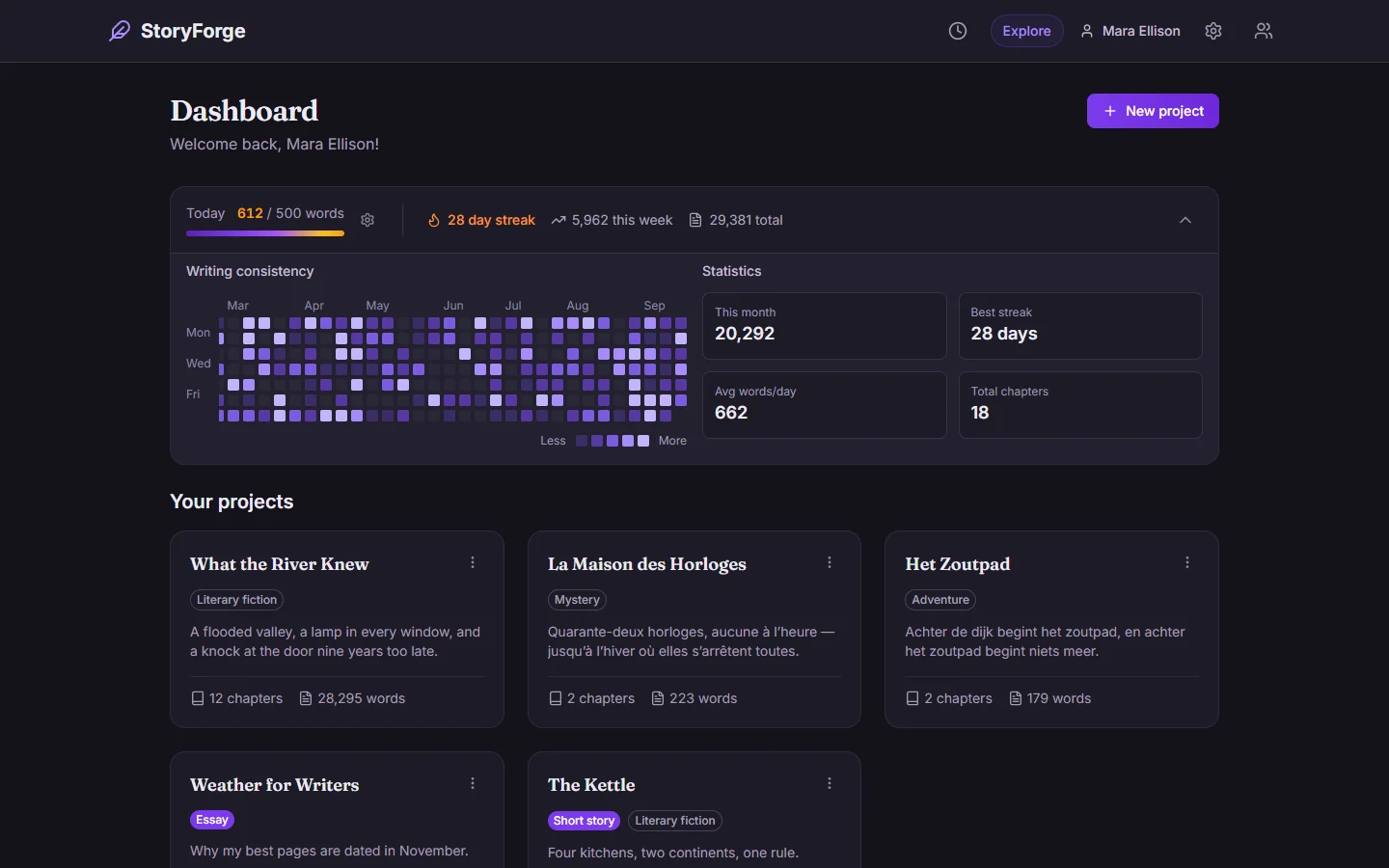
Set a daily word goal and keep the streak going. The calendar shows a year of writing at a glance.
Export
Ready to send
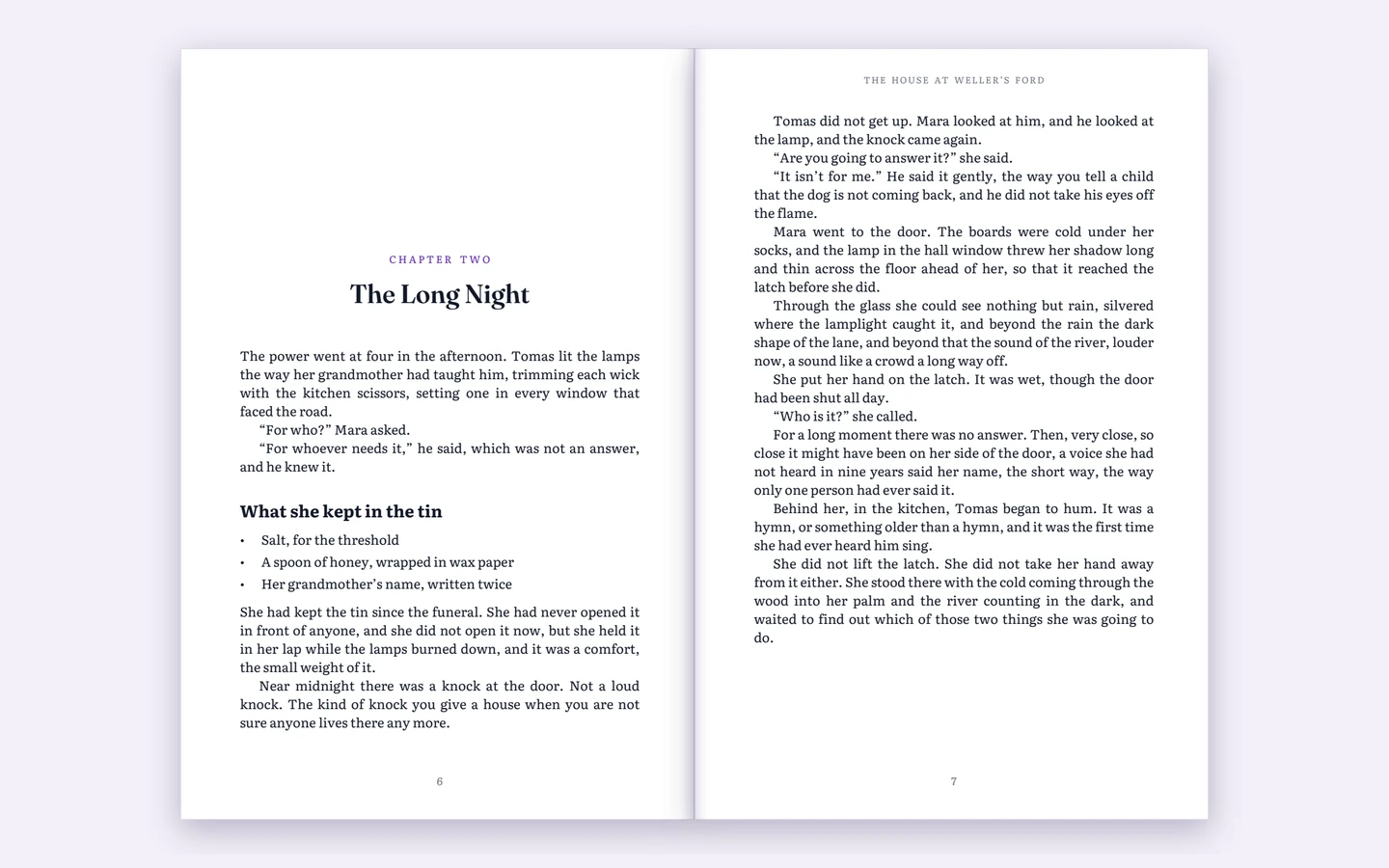
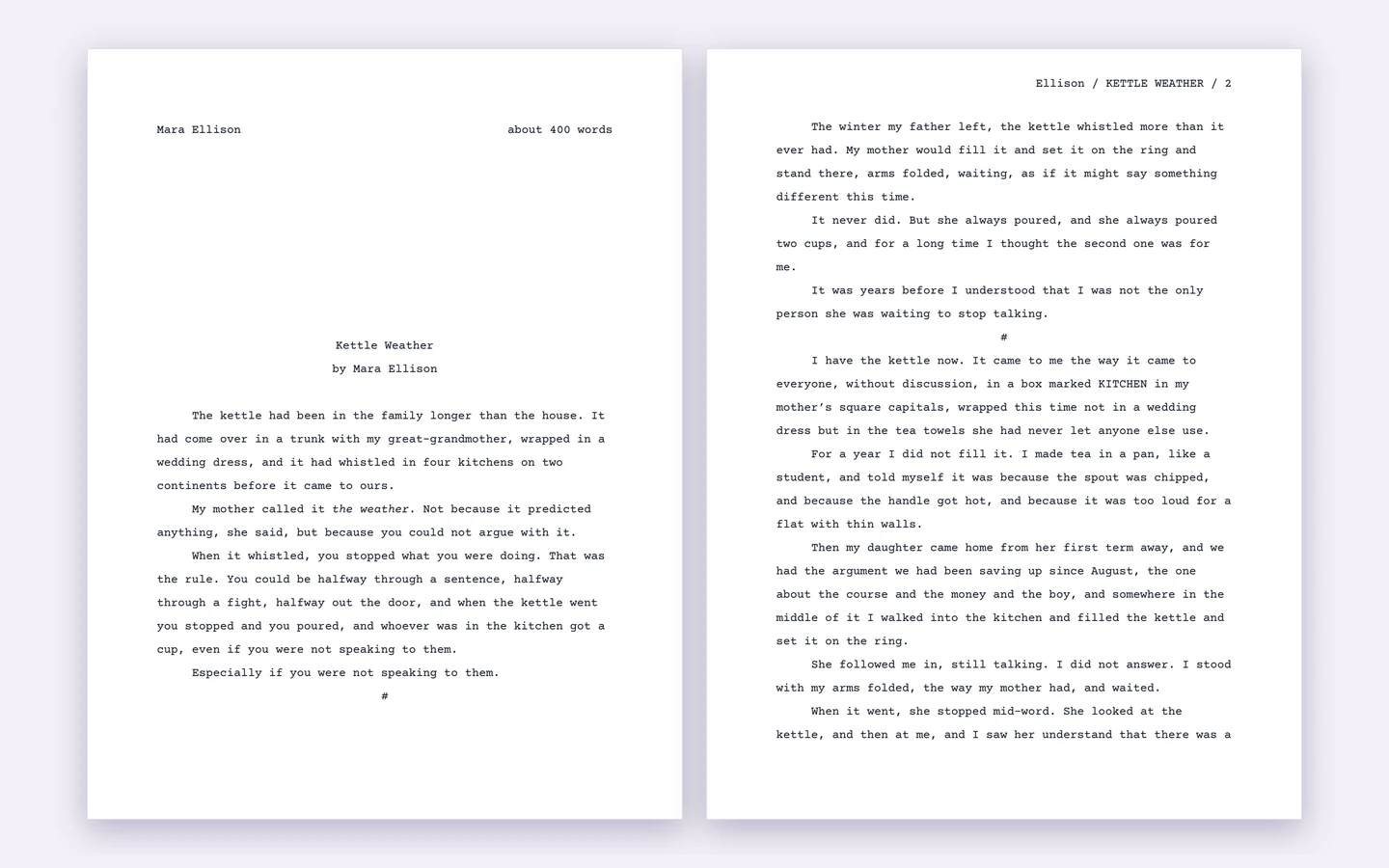
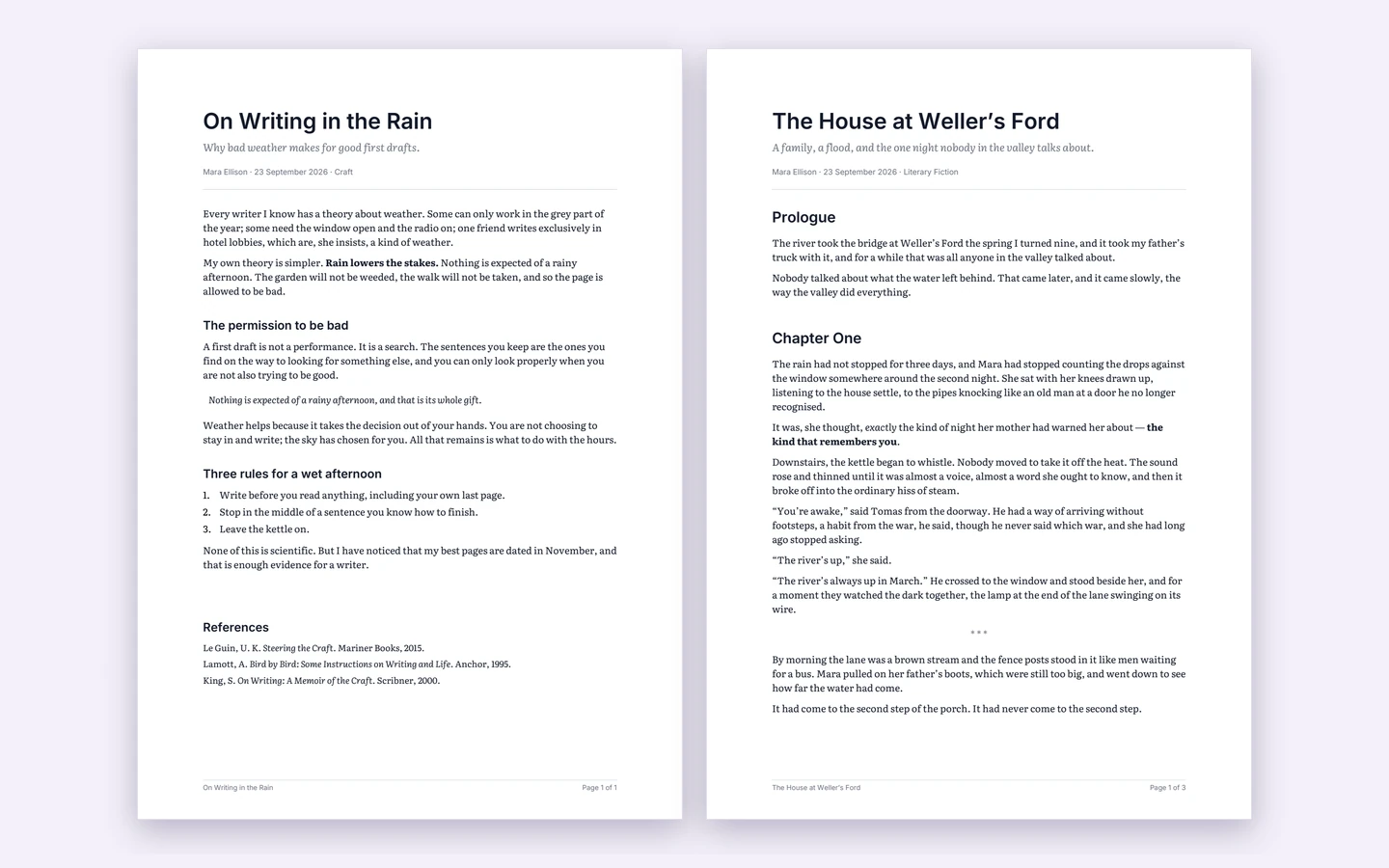
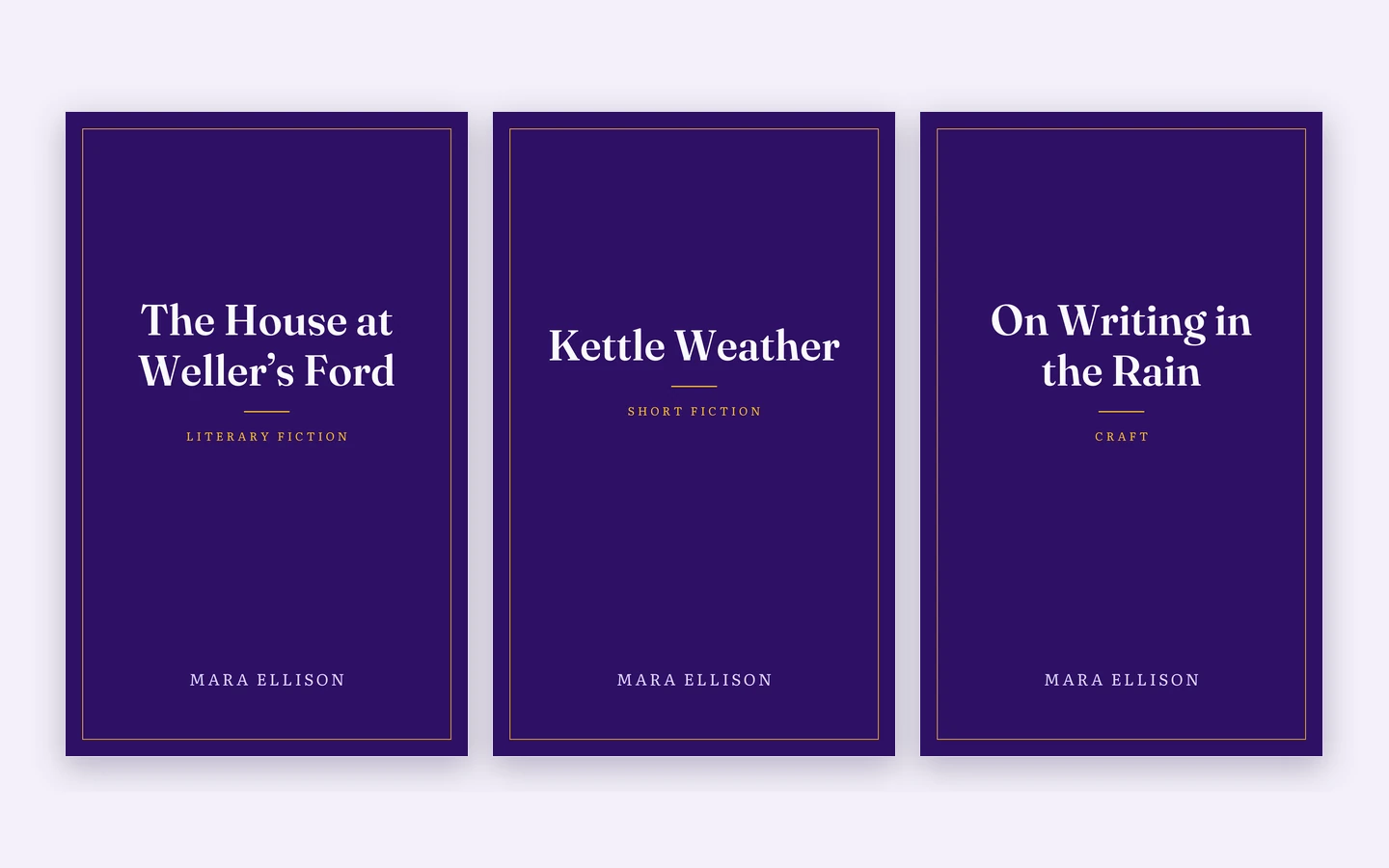
A typeset PDF with chapter openers and running headers, standard manuscript format for agents and magazines, clean essays, and EPUBs with a cover made for you.
Make it yours
In your language, in your light
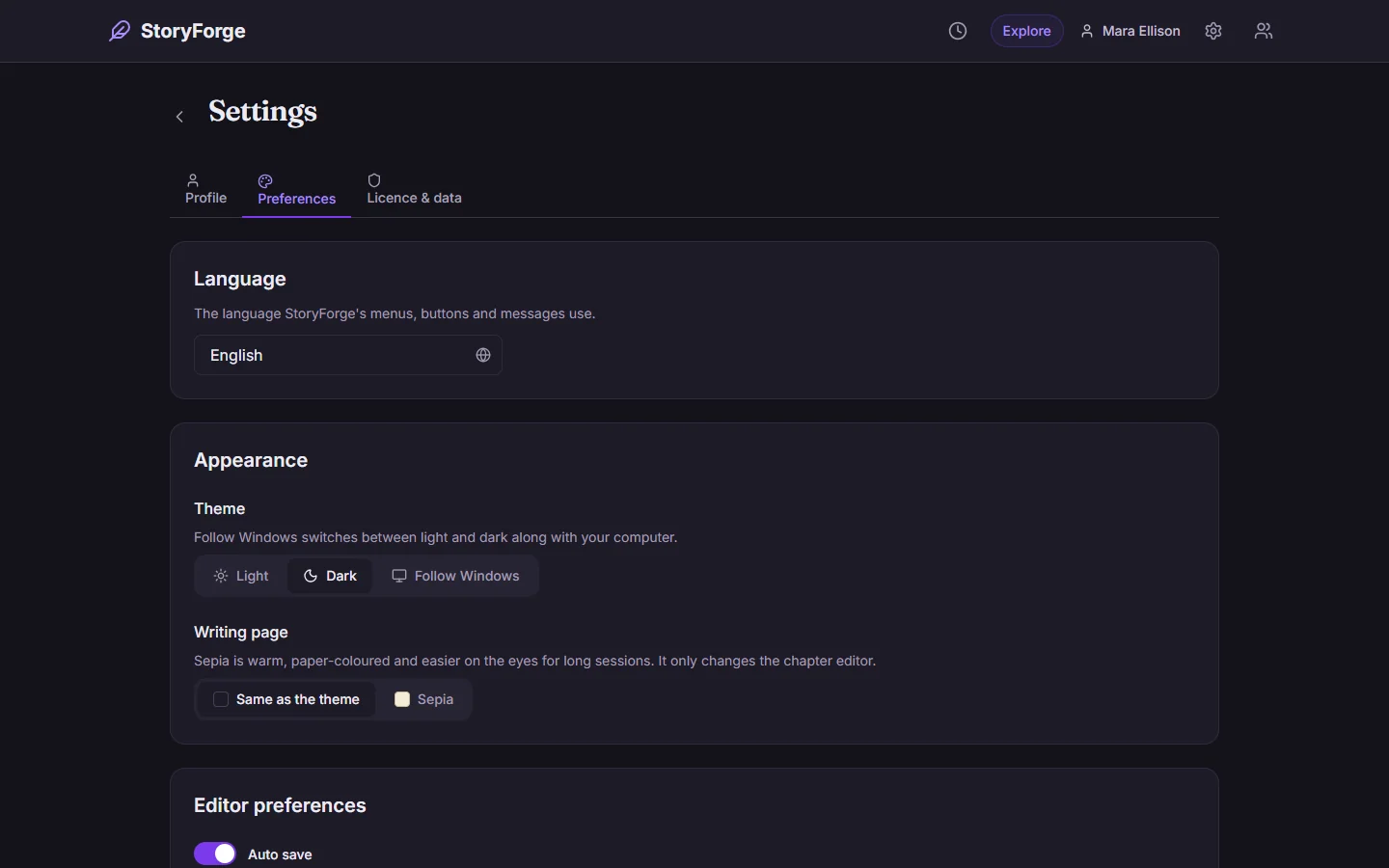
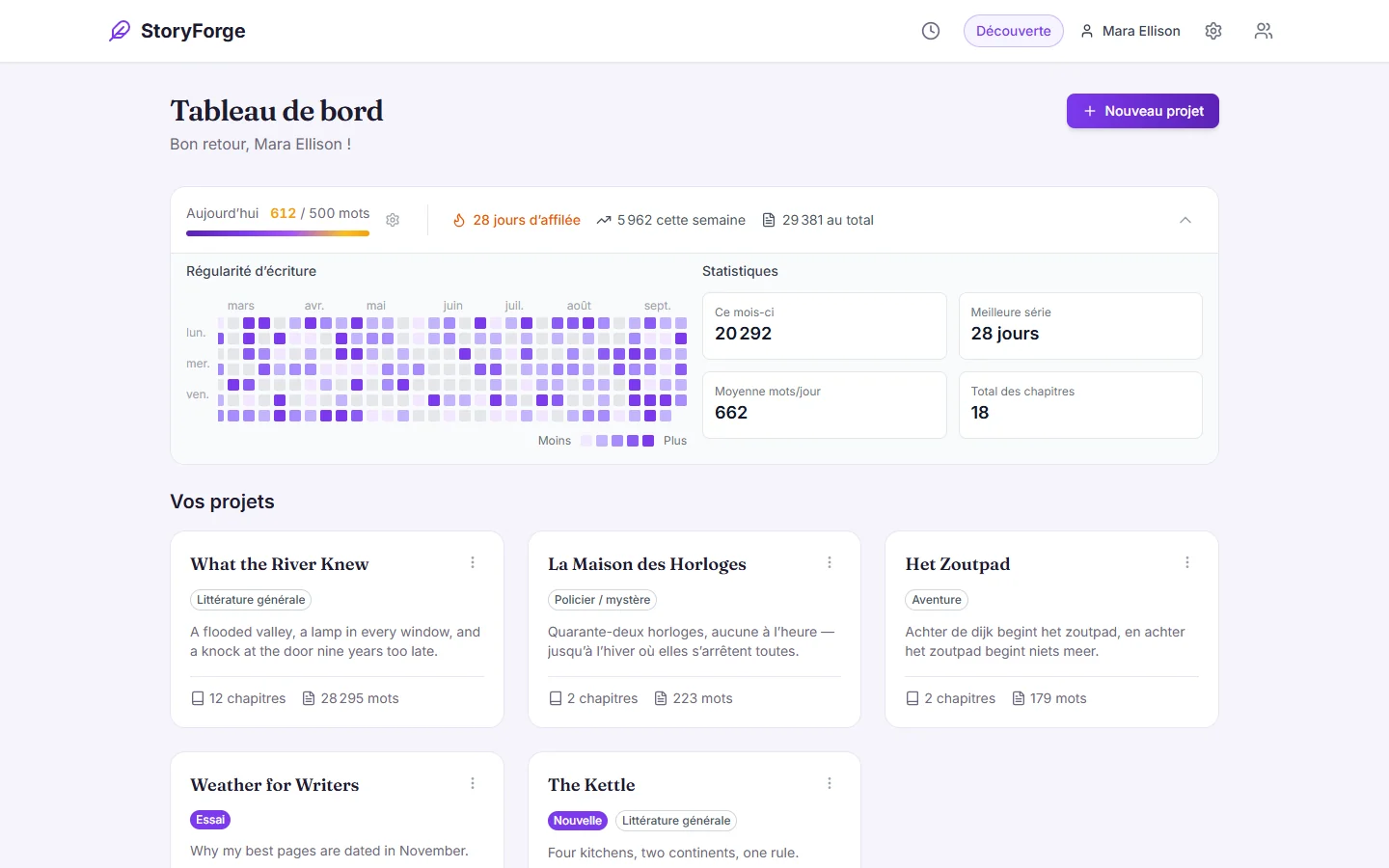
The whole interface in English, French or Dutch, and each book exported in its own language. Light, dark, or follow Windows.
Everything included
Everything StoryForger does
A focused chapter editor
Autosave, focus mode, split view and version history.
Spell check that knows your world
In English, French or Dutch, offline. Your characters and places are never flagged.
A story bible
Characters, locations, plot points, world rules, terminology and a timeline.
Plan it your way
Sticky-note boards, chapter summaries and colour labels, and an outline beside the chapter you’re writing.
Keep the habit
Daily word goals, streaks and progress charts.
Export anywhere
Word, PDF, EPUB and Markdown, typeset and ready to send.
One computer, several writers
A profile for each person, with an optional password.
Light, dark or sepia
A light or dark theme, or follow Windows, and a sepia page for long sessions.
In English, French and Dutch
The whole interface, and each book’s exports in its own language.
Your files never leave your computer.
- Everything you write is stored in one file on your computer, backed up daily.
- No account, no cloud. It works with the internet unplugged.
- Nothing about you or what you write is sent anywhere, ever.
Price
One price, paid once
StoryForger licence
€24.99
Paid once. No subscription, and it never expires.
- A chapter editor with autosave, version history and spell check
- A story bible for characters, places and world rules
- Sticky-note boards, chapter summaries and colour labels
- Daily word goals, streaks and progress charts
- Export to Word, PDF, EPUB and Markdown
- A profile for each writer on the computer
- Light, dark and sepia; English, French and Dutch
- Every future version, free
- Use it on your own computers, desktop and laptop
- In the Windows app and in your browser
- Works with the internet switched off
- 30-day refund if it doesn’t work for you
Your key arrives by email a moment later · Card payment through Stripe
30-day refund
If StoryForger doesn’t work for you, email us within 30 days of buying and we’ll refund you in full. And because it’s free to try, you can check it for yourself before you pay anything.
Buying
How buying works
- Try it. Download and install, or open it in your browser — no payment needed. Creating your first project starts a short window to try every feature and write a little. After that your writing stays yours to read, edit and export; a licence key lets you keep adding.
- Buy a licence (€24.99, paid through Stripe). Your licence key arrives by email a moment later.
- Paste the key into the app’s Licence window. It’s checked on your computer, so it keeps working offline, for good.
Questions
Before you buy
How can I check that it really doesn’t send my files anywhere?
Unplug your network cable or turn off wifi: StoryForger works exactly the same. For a closer look, open Windows’ Resource Monitor while you use it. Its only connections are to 127.0.0.1, your own computer. In the browser version, open it once, then turn on airplane mode: you can still write, plan and export your manuscript, because it all happens on your computer.
Can I use it in my browser?
Yes, on a computer: open StoryForger in your browser on Windows, a Mac or Linux, in a recent Chrome, Edge, Firefox or Safari, with nothing to install. It’s made for a computer’s screen and keyboard, so it isn’t for phones yet. The first visit downloads about 30 MB; after that it opens without downloading anything, even offline. Your writing is kept in that browser, on that computer, so clearing its browsing data deletes it: download a backup now and then from Settings. A backup opens in the Windows app too, and the other way round.
What’s free, and what needs a licence?
Creating your first project starts a short window (about 15 minutes) to explore every feature, across every profile on the computer. After that, your writing stays exactly as it is — readable, editable and exportable — but a licence key is needed to start a new project or add to what you have.
Windows says “Windows protected your PC”. Is it safe?
Yes. The installer sets StoryForger up just for you, with no administrator password. Because it comes from a small independent developer, Windows may show that blue box the first time: click More info, then Run anyway. Windows shows it for new programs it hasn’t seen many times before, not because anything is wrong with the file.
Do I get updates?
Yes, for life. Every new version of StoryForger is free for anyone with a key, and you’ll get an email when one comes out. Download it from this page and install it over the old one; your key and your files carry on. The browser version updates itself.
Can I use my key on more than one computer?
Yes, on your own computers: your desktop and your laptop, say. Please don’t share it beyond that.
I lost my key.
Email support@yarpdevelopers.com from the address you bought with, and we’ll send it again.
What if it doesn’t work for me?
Email within 30 days of buying and you’ll get a full refund. It’s free to try, so you can check first.
Mac or Linux?
The app you install is for Windows, but the browser version runs on a Mac or Linux too.
Ready to start your novel?
€24.99, paid once. Or try it free first.