 Resume Makerv1.2.0 · Windows 10 and 11 · or in your browser
A resume that looks the part, made on your own computer.
Write your resume once, set it in eleven styles, and export a clean PDF.
Free, with every update. No licence key, no account, no ads.
Free, nothing lockedNo subscriptionNo accountWorks offline
No Windows computer? Use Resume Maker in your browser, on any phone or computer. Your files stay on your device.
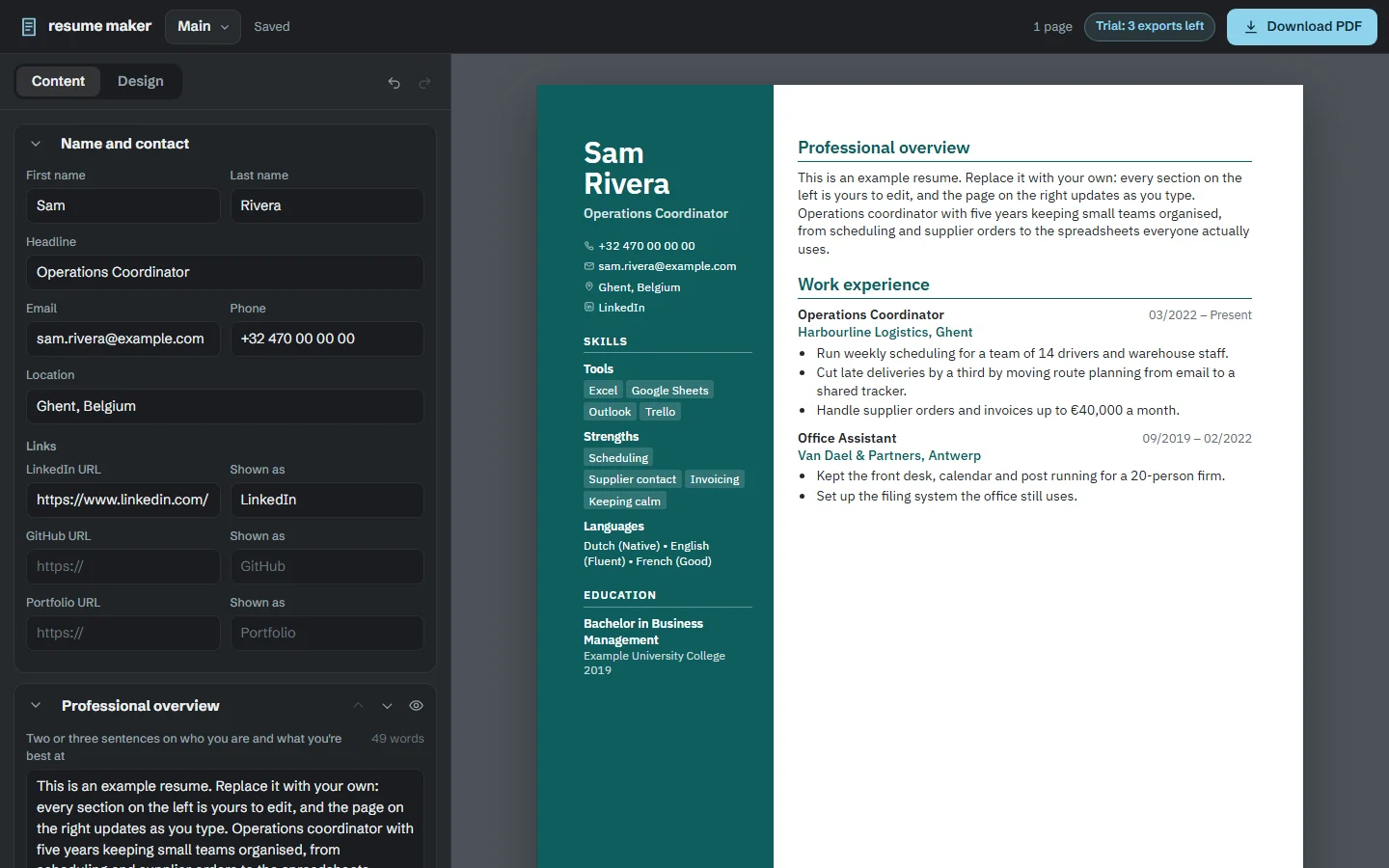
A resume holds your address, your phone number and your whole work history. Resume Maker keeps it on your computer: edit on the left, watch the page update on the right, switch between eleven designs, and export a PDF that fits on one page. Keep a version per kind of job you apply for.
The problem
Why a resume is harder than it should be
Fighting the word processor
Nudge one line and the whole layout slides onto a second page.
Your details, uploaded
Most online builders keep your address, phone number and whole work history on their servers.
How it works
From blank page to PDF
Type it once
Fill in your experience, education and skills on the left; the page updates on the right.
Pick a design
Switch between eleven templates any time. Your words stay put.
Export a PDF
Fitted to one page, with real text recruiters can search.
Design
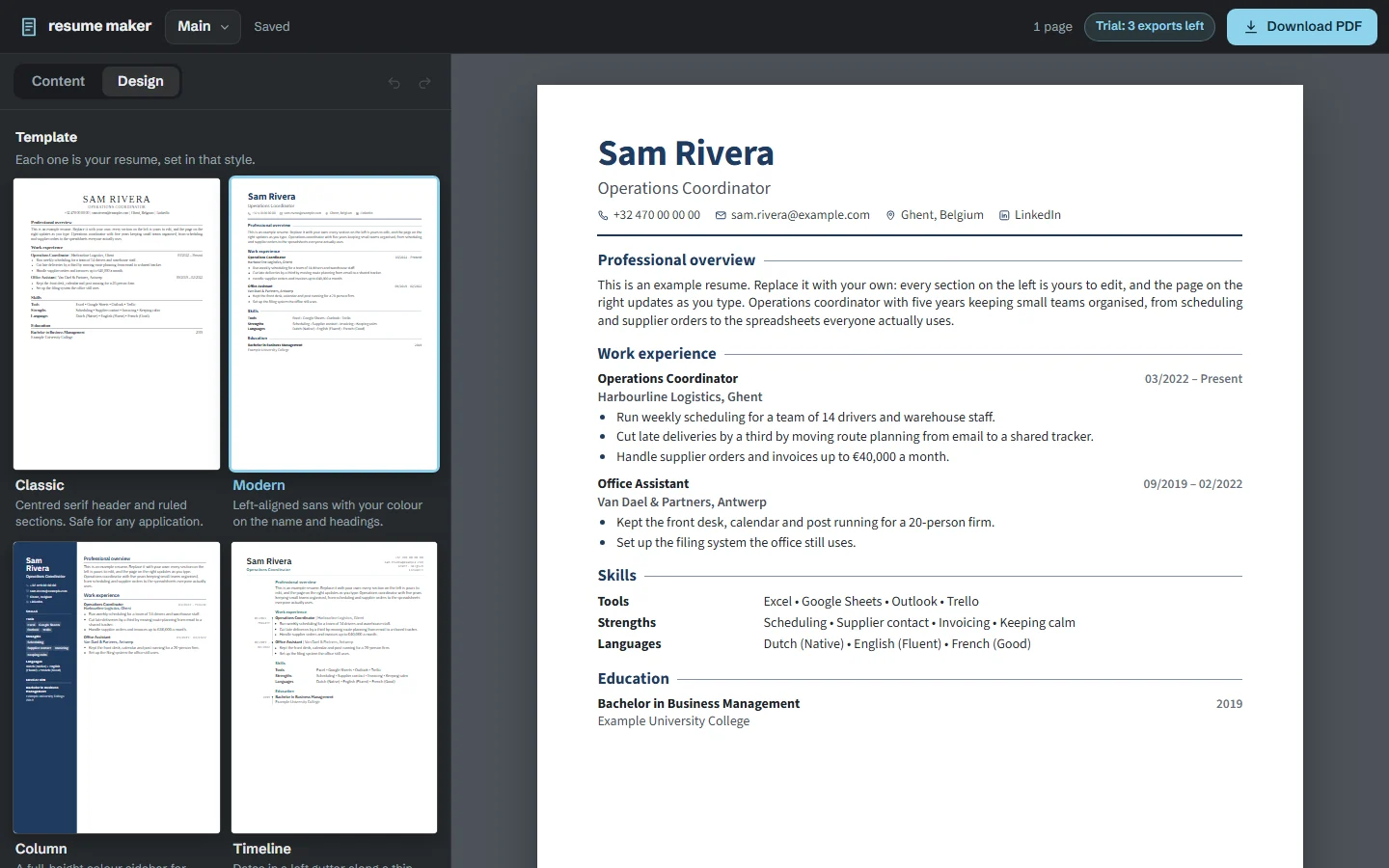
Eleven designs, one click apart
From a plain layout that applicant tracking systems read cleanly to a bold colour sidebar, in your own colour, text size and paper size.
Everything included
Everything Resume Maker does
Eleven templates
From a plain one that applicant tracking systems read cleanly to a bold colour sidebar.
Live preview
The page updates as you type, in your own colour, text size and paper size (A4 or US Letter).
Fit to one page
Type and spacing shrink together until it fits.
A version per job
Keep several versions and duplicate one to tailor it for a new application.
Your sections, your order
Add certifications, volunteering, awards or a section of your own; rename, reorder or hide any of them, with undo for every change.
PDFs recruiters can search
Real text, not a picture of it, so it can be searched and copied.
Your files never leave your device.
- Your resumes are saved on your computer, and the PDF is made there too.
- No account, no sign-in, no cloud. It works with the internet unplugged.
- Nothing about you or what you write is sent anywhere, ever.
Price
Free, with nothing held back
Resume Maker
Free
No licence key, no account, no ads. Nothing is locked.
- Eleven templates
- Live preview
- Fit to one page
- A version per job
- Your sections, your order
- PDFs recruiters can search
- Every future version
- The Windows app and the browser version
- Works with the internet switched off
Questions
Before you download
How can I check that it really doesn’t send my files anywhere?
Unplug your network cable or turn off wifi: Resume Maker works exactly the same. For a closer look, open Windows’ Resource Monitor while you use it. Its only connections are to 127.0.0.1, your own computer. In the browser version, open it once, then turn on airplane mode: you can still edit your resumes and save them as PDFs, because it all happens on your phone or computer.
Can I use it on my phone?
Yes. Open Resume Maker in your phone’s browser. It works on Android and iPhone, with nothing to install; your browser can add it to your home screen if you like. On a phone, Save PDF opens its print window: choose Save as PDF, check the paper size, and save. Your resumes are kept in that browser, so clearing your browsing data deletes them.
Is it really free?
Yes. Every feature works, with no licence key, no trial, no watermark and no ads, and there’s no account to sign up for. It used to be sold; now it’s simply free.
Windows says “Windows protected your PC”. Is it safe?
Yes. The installer sets Resume Maker up just for you, with no administrator password. Because it comes from a small independent developer, Windows may show that blue box the first time: click More info, then Run anyway. Windows shows it for new programs it hasn’t seen many times before, not because anything is wrong with the file.
Do I get updates?
Yes. Every new version of Resume Maker is free too. Download it from this page and install it over the old one; your files carry on. The browser version updates itself.
Mac or Linux?
The app you install is for Windows, but the browser version runs on a Mac or Linux too.
Ready for your next application?
Free, with nothing to unlock.