 pdfsignv1.1.0 · Windows 10 and 11 · or in your browser
Sign contracts and fill in forms without uploading them anywhere.
Fill, sign and mark up PDFs without uploading them anywhere.
Free, with every update. No licence key, no account, no ads.
Free, nothing lockedNo subscriptionNo accountWorks offline
No Windows computer? Use pdfsign in your browser, on any phone or computer. Your files stay on your device.
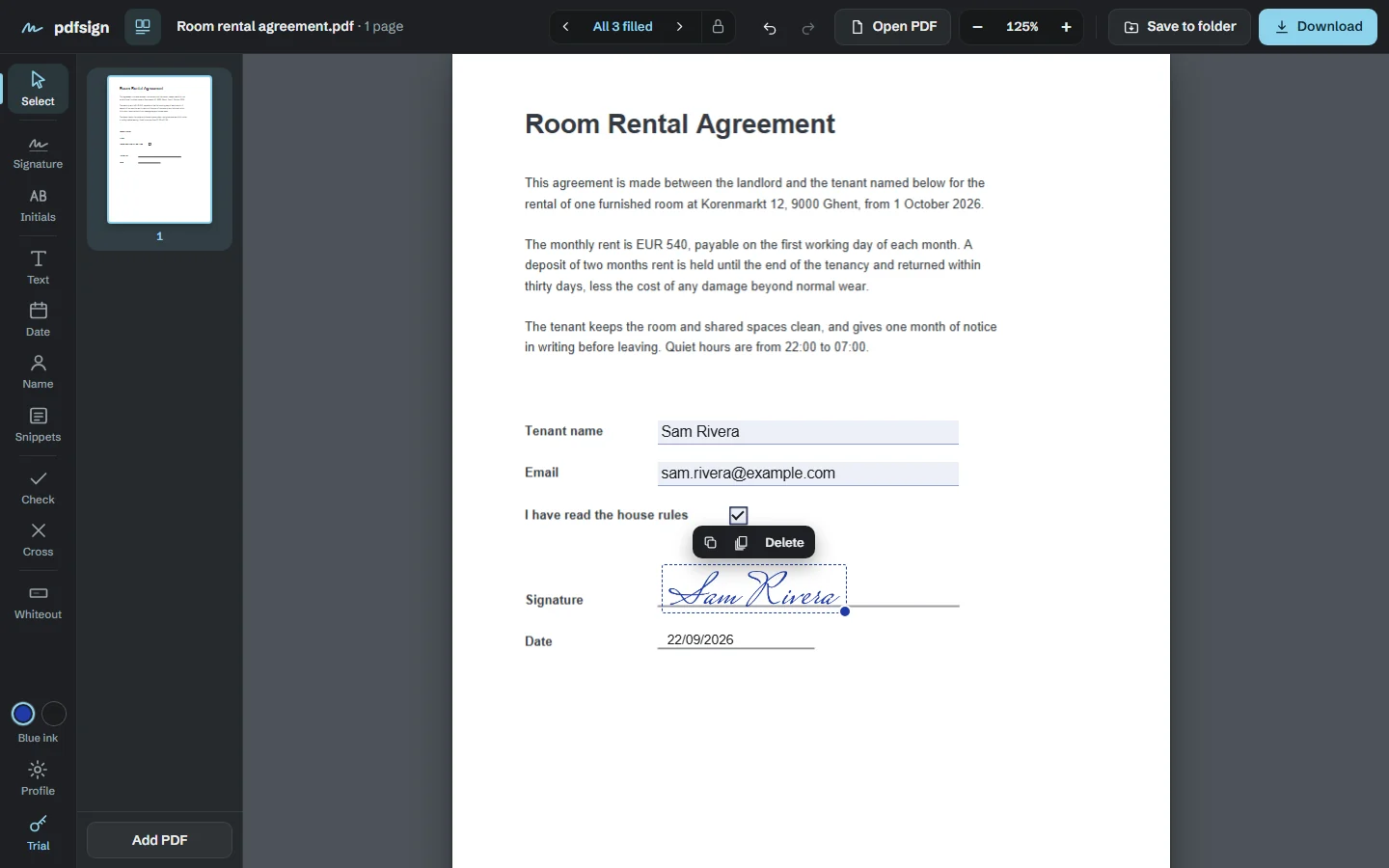
Contracts, forms, rental agreements, tax papers: the documents you sign are the ones you least want on someone else's server. pdfsign opens them on your own computer, lets you sign, fill in and tidy them up, and saves the result next to the original. Nothing is uploaded, because there is nowhere for it to go.
The problem
The trouble with signing a PDF
Your papers on a stranger’s server
Most signing websites upload the document to sign it: your contract, your address, your ID number.
The print, sign and scan shuffle
The alternative is a printer, a pen and a scanner, and a crooked grey copy at the end.
How it works
Signed in three steps
Open the PDF
Drag it in. It opens on your computer, not on a website.
Fill in and sign
Type into the form, place your signature, add the date and your initials.
Save it
The signed copy is saved next to the original, ready to send.
Everything included
Everything pdfsign does
Sign any way you like
Draw it, type it in a handwriting style, upload a photo of your signature, or sign on your phone.
Forms, filled fast
Fill in fillable forms, with a counter that jumps you to the next empty field.
Write on any page
Add text, dates, your name, ticks and crosses, and white out what needs covering.
Initial every page
Put your initials on every page in one click.
Rearrange pages
Reorder, turn, delete and merge pages.
Undo and snippets
Undo for everything, and saved snippets for your address, email and ID number.
Lock the answers
Lock form fields in the saved copy so answers can’t be changed afterwards.
Your files never leave your device.
- Your PDFs are opened and written on your computer. They are never uploaded.
- No account, no sign-in, no cloud. It works with the internet unplugged.
- Signing on your phone goes over your own wifi, straight to your computer.
Price
Free, with nothing held back
pdfsign
Free
No licence key, no account, no ads. Nothing is locked.
- Sign any way you like
- Forms, filled fast
- Write on any page
- Initial every page
- Rearrange pages
- Undo and snippets
- Lock the answers
- Every future version
- The Windows app and the browser version
- Works with the internet switched off
Questions
Before you download
How can I check that it really doesn’t send my files anywhere?
Unplug your network cable or turn off wifi: pdfsign works exactly the same. For a closer look, open Windows’ Resource Monitor while you use it. Its only connections are to 127.0.0.1, your own computer. In the browser version, open it once, then turn on airplane mode: you can still open, sign and download PDFs, because it all happens on your phone or computer.
Can I use it on my phone?
Yes. Open pdfsign in your phone’s browser. It works on Android and iPhone, with nothing to install; your browser can add it to your home screen if you like. Your saved signatures and profile are kept in that browser, so clearing your browsing data deletes them.
Is it really free?
Yes. Every feature works, with no licence key, no trial, no watermark and no ads, and there’s no account to sign up for. It used to be sold; now it’s simply free.
Windows says “Windows protected your PC”. Is it safe?
Yes. The installer sets pdfsign up just for you, with no administrator password. Because it comes from a small independent developer, Windows may show that blue box the first time: click More info, then Run anyway. Windows shows it for new programs it hasn’t seen many times before, not because anything is wrong with the file.
Do I get updates?
Yes. Every new version of pdfsign is free too. Download it from this page and install it over the old one; your files carry on. The browser version updates itself.
Mac or Linux?
The app you install is for Windows, but the browser version runs on a Mac or Linux too.
Ready to sign your next document?
Free, with nothing to unlock.